What’s Included With Link2Pump? Features, Hardware & Support Explained
If you are evaluating fuel controls, one question matters first: what do you receive, and how do the parts work together in the real world?
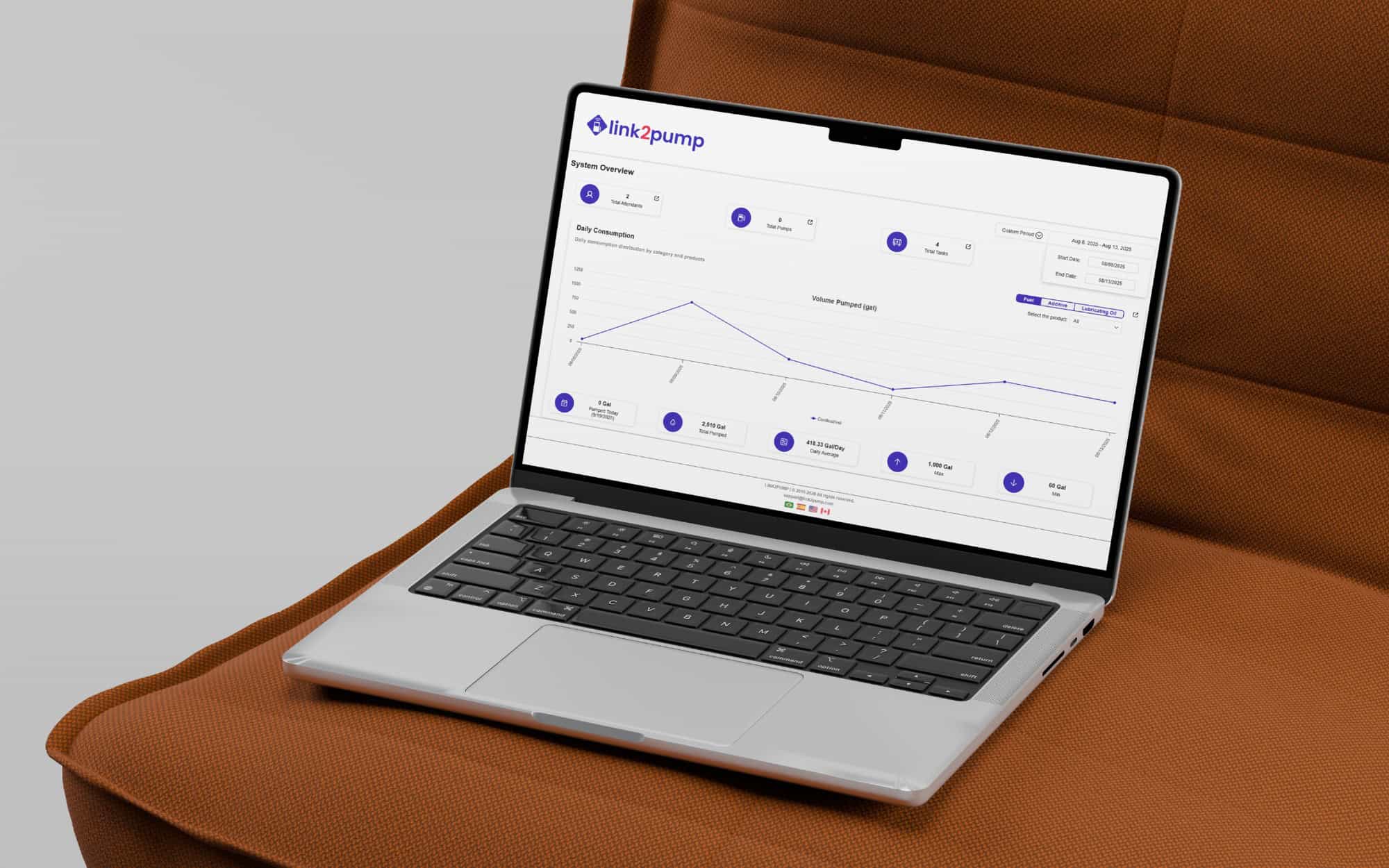

If you are evaluating fuel controls, one question matters first: what do you receive, and how do the parts work together in the real world?
Fuel operations fall apart when the workflow is split across devices, spreadsheets, and tribal processes. The result is usually the same: unclear accountability, inconsistent reporting, and a system that depends on one or two people to hold it together. With Link2Pump, the package is built as a complete fuel management system that connects on-site control to cloud reporting, so your team can run one consistent process across yards, job sites, and remote tanks.
A complete setup has four layers that work together. First is the on-site control point that requires authorization before fuel is dispensed. Second is the cloud platform that stores transactions, organizes reporting, and supports user management. Third is the connectivity layer that moves fueling data from the site to the portal without manual uploads. Fourth is onboarding and support, which is what keeps the process consistent after the install.
Link2Pump brings those layers into one unified workflow. The goal is operational control: every transaction is tied to a person and an asset, inventory and activity are visible without chasing updates, and reporting stays consistent across sites and time periods.
The software is built around the work teams need to do every day: manage users, monitor activity, review exceptions, and export reports that support operations and finance. Instead of burying you in technical settings, the platform is designed to keep the process clear and repeatable.
Real-time fuel monitoring gives supervisors and managers current visibility into dispensing activity so problems surface early. That matters when you are trying to catch unusual spikes, after-hours activity, or sudden changes in consumption tied to schedule shifts. It also shortens the gap between “something looks off” and “here is what happened,” because the data is connected to a specific transaction instead of a monthly estimate.
User access control is the foundation of accountability. Each user is assigned a unique credential and permissions can be managed by role, site, or department. For fleet fuel management, that structure makes it easier to keep rules consistent, even when crews rotate, supervisors change, or additional locations come online.
Alerts are designed to support action, not noise. Notifications can flag abnormal usage patterns, low tank conditions, or other exceptions that should trigger a check-in before downtime or loss occurs. The practical benefit is speed: the right person gets a signal while there is still time to respond.
Dashboards and reports translate transaction data into usable views for operations and finance. Fuel usage tracking becomes easier to trust when it is generated from recorded dispense events, which reduces hand entry and the reconciliation work that comes with it. The result is cleaner reporting by vehicle, user, department, and location, plus exports that help align fuel data with internal processes.
A short walkthrough of Link2Pump answers the questions that slow decisions down how authorization works at the pump, what the dashboards look like, how users are managed, and what setup looks like across your sites. If you want to validate fit and scope quickly, schedule time with our specialists to map the right configuration for your workflow.
The hardware layer is designed for field conditions and for consistent transaction capture at the fueling point. The specific configuration depends on how your operation fuels today, including fixed sites, remote tanks, and mobile fueling workflows.
The access control unit sits at the dispenser or fueling point and enforces authorization before fuel is dispensed. It prompts for the identifiers you choose to collect, then records transaction details that feed reporting and review. The point is consistency: the same steps happen every time, regardless of shift, location, or supervisor.
Many operations prefer a tap-based workflow for speed and simplicity. Card or badge access can be configured to match your user management approach, including quick activation and deactivation when staffing changes. This helps reduce credential sharing and keeps accountability tied to real users.
For multi-location operations, the hardware setup is paired with cloud administration so authorized staff can manage users and review activity without being physically on site. This is useful for equipment yards, distributed fleets, and remote tanks where day-to-day oversight is limited.
Connectivity is what turns on-site activity into usable data without extra admin work. Depending on your environment, the system can be configured to communicate through site networking or cellular connectivity. This supports both established facilities and remote locations where traditional infrastructure is limited.
Cloud-based access supports scalability and consistent reporting across sites. Authorized users can access dashboards and exports from wherever they work, with permissions controlling who can view, manage, or administer the system. This structure helps keep data access clear as the operation grows, and it reduces the burden of maintaining on-premise software.
Support is part of what you are buying, because implementation quality affects adoption. Link2Pump onboarding typically includes guidance during setup, configuration assistance aligned to your workflow, and training for both administrators and everyday users. The goal is to make the first weeks after launch predictable, with clear roles and a process that crews can follow without friction.
Ongoing support matters after go-live because operations change. Sites add fueling points, supervisors change, reporting needs evolve, and permissions need updates as crews shift. A supported model keeps the system stable over time and helps prevent the slow drift back toward manual workarounds.
Different operations prioritize different outcomes. Some want tighter controls at the point of dispensing. Others need multi-location visibility, clearer reporting by department, or expanded capacity as fleets and sites grow. Optional configurations can support additional fueling points, expanded user structures, and workflows that map to job costing or internal controls.
The best way to evaluate options is to start with the operational problem you are trying to solve, then align the configuration to the way your teams fuel today. That keeps the system simple while still meeting the needs that drive ROI.
Manual logbooks and spreadsheets can record information, but they struggle to enforce accountability and they introduce human error under real operating pressure. Disconnected monitoring tools can capture partial signals, yet they often fail to connect authorization, transaction history, and reporting into one clear picture. Legacy on-premise software can add maintenance overhead and slow down access to data when teams need it quickly.
A unified system tightens the process at the point that matters most: when fuel is dispensed. Authorization becomes consistent, records are created automatically, and dashboards provide a single source of truth across sites. Over time, that control supports better purchasing decisions, clearer internal reporting, and fewer hours spent reconciling conflicting numbers.
The safest purchase decision is the one with no ambiguity around what is included, how it is supported, and how it fits your fueling environment. If you are ready to confirm the right configuration, request a quote from Link2Pump and get a clear plan for software, hardware, connectivity, onboarding, and support.
 https://www.link2pump.com/wp-content/uploads/2023/09/RevolutionizingtransportandlogisticsharnessingchatGPTandAI.png
609
1081
Nate Riggins
https://www.link2pump.com/wp-content/uploads/2025/08/link2pump-Logo-1.png
Nate Riggins2023-09-05 12:26:142026-03-20 13:30:55Revolutionizing Transport and Logistics: Harnessing ChatGPT and AI
https://www.link2pump.com/wp-content/uploads/2023/09/RevolutionizingtransportandlogisticsharnessingchatGPTandAI.png
609
1081
Nate Riggins
https://www.link2pump.com/wp-content/uploads/2025/08/link2pump-Logo-1.png
Nate Riggins2023-09-05 12:26:142026-03-20 13:30:55Revolutionizing Transport and Logistics: Harnessing ChatGPT and AI https://www.link2pump.com/wp-content/uploads/2023/09/CAPA-6G.png
758
1081
Nate Riggins
https://www.link2pump.com/wp-content/uploads/2025/08/link2pump-Logo-1.png
Nate Riggins2023-06-16 18:08:492026-03-20 13:30:58Exploring the Future of Wireless Networks: What You Need to Know About 6G
https://www.link2pump.com/wp-content/uploads/2023/09/CAPA-6G.png
758
1081
Nate Riggins
https://www.link2pump.com/wp-content/uploads/2025/08/link2pump-Logo-1.png
Nate Riggins2023-06-16 18:08:492026-03-20 13:30:58Exploring the Future of Wireless Networks: What You Need to Know About 6G https://www.link2pump.com/wp-content/uploads/2023/09/IOTTo2023.jpg
580
1214
Nate Riggins
https://www.link2pump.com/wp-content/uploads/2025/08/link2pump-Logo-1.png
Nate Riggins2022-12-09 15:53:592026-03-20 13:31:04What to expect from IoT in 2023
https://www.link2pump.com/wp-content/uploads/2023/09/IOTTo2023.jpg
580
1214
Nate Riggins
https://www.link2pump.com/wp-content/uploads/2025/08/link2pump-Logo-1.png
Nate Riggins2022-12-09 15:53:592026-03-20 13:31:04What to expect from IoT in 2023 https://www.link2pump.com/wp-content/uploads/2023/09/ReadyMixConcreteMarketGrowingToExhibitARemarkableCAGROf8.50By2029-1.jpg
684
1025
Nate Riggins
https://www.link2pump.com/wp-content/uploads/2025/08/link2pump-Logo-1.png
Nate Riggins2022-09-19 17:53:332026-03-20 13:31:07Ready-Mix concrete market growing to exhibit a remarkable CAGR of 8.50% by 2029
https://www.link2pump.com/wp-content/uploads/2023/09/ReadyMixConcreteMarketGrowingToExhibitARemarkableCAGROf8.50By2029-1.jpg
684
1025
Nate Riggins
https://www.link2pump.com/wp-content/uploads/2025/08/link2pump-Logo-1.png
Nate Riggins2022-09-19 17:53:332026-03-20 13:31:07Ready-Mix concrete market growing to exhibit a remarkable CAGR of 8.50% by 2029 https://www.link2pump.com/wp-content/uploads/2023/09/How-to-Improve-Efficiency-With-Fuel-Tracking-Technology.jpg
1100
1920
Nate Riggins
https://www.link2pump.com/wp-content/uploads/2025/08/link2pump-Logo-1.png
Nate Riggins2021-07-22 17:59:132026-03-20 13:31:17How to Improve Efficiency With Fuel Tracking Technology
https://www.link2pump.com/wp-content/uploads/2023/09/How-to-Improve-Efficiency-With-Fuel-Tracking-Technology.jpg
1100
1920
Nate Riggins
https://www.link2pump.com/wp-content/uploads/2025/08/link2pump-Logo-1.png
Nate Riggins2021-07-22 17:59:132026-03-20 13:31:17How to Improve Efficiency With Fuel Tracking Technology https://www.link2pump.com/wp-content/uploads/2025/08/link2pump-Logo-1.png
0
0
Nate Riggins
https://www.link2pump.com/wp-content/uploads/2025/08/link2pump-Logo-1.png
Nate Riggins2021-07-08 16:35:292026-03-20 13:31:17Vehicle Telemetry: what you need to know
https://www.link2pump.com/wp-content/uploads/2025/08/link2pump-Logo-1.png
0
0
Nate Riggins
https://www.link2pump.com/wp-content/uploads/2025/08/link2pump-Logo-1.png
Nate Riggins2021-07-08 16:35:292026-03-20 13:31:17Vehicle Telemetry: what you need to know https://www.link2pump.com/wp-content/uploads/2023/09/Cloud-Computer.jpg
1100
1920
Nate Riggins
https://www.link2pump.com/wp-content/uploads/2025/08/link2pump-Logo-1.png
Nate Riggins2021-06-25 14:37:372026-03-20 13:31:17What are the advantages for cloud computing
https://www.link2pump.com/wp-content/uploads/2023/09/Cloud-Computer.jpg
1100
1920
Nate Riggins
https://www.link2pump.com/wp-content/uploads/2025/08/link2pump-Logo-1.png
Nate Riggins2021-06-25 14:37:372026-03-20 13:31:17What are the advantages for cloud computing https://www.link2pump.com/wp-content/uploads/2023/09/close-up-businessman-with-digital-tablet-min-scaled-1.jpg
1707
2560
Nate Riggins
https://www.link2pump.com/wp-content/uploads/2025/08/link2pump-Logo-1.png
Nate Riggins2021-05-19 18:01:302026-03-20 13:31:19Tools you must have for contractor fleet management
https://www.link2pump.com/wp-content/uploads/2023/09/informatizacao.png
1100
1920
Nate Riggins
https://www.link2pump.com/wp-content/uploads/2025/08/link2pump-Logo-1.png
Nate Riggins2021-03-09 12:26:052026-03-20 13:31:19How remote work is running for fleet management
https://www.link2pump.com/wp-content/uploads/2023/09/close-up-businessman-with-digital-tablet-min-scaled-1.jpg
1707
2560
Nate Riggins
https://www.link2pump.com/wp-content/uploads/2025/08/link2pump-Logo-1.png
Nate Riggins2021-05-19 18:01:302026-03-20 13:31:19Tools you must have for contractor fleet management
https://www.link2pump.com/wp-content/uploads/2023/09/informatizacao.png
1100
1920
Nate Riggins
https://www.link2pump.com/wp-content/uploads/2025/08/link2pump-Logo-1.png
Nate Riggins2021-03-09 12:26:052026-03-20 13:31:19How remote work is running for fleet management